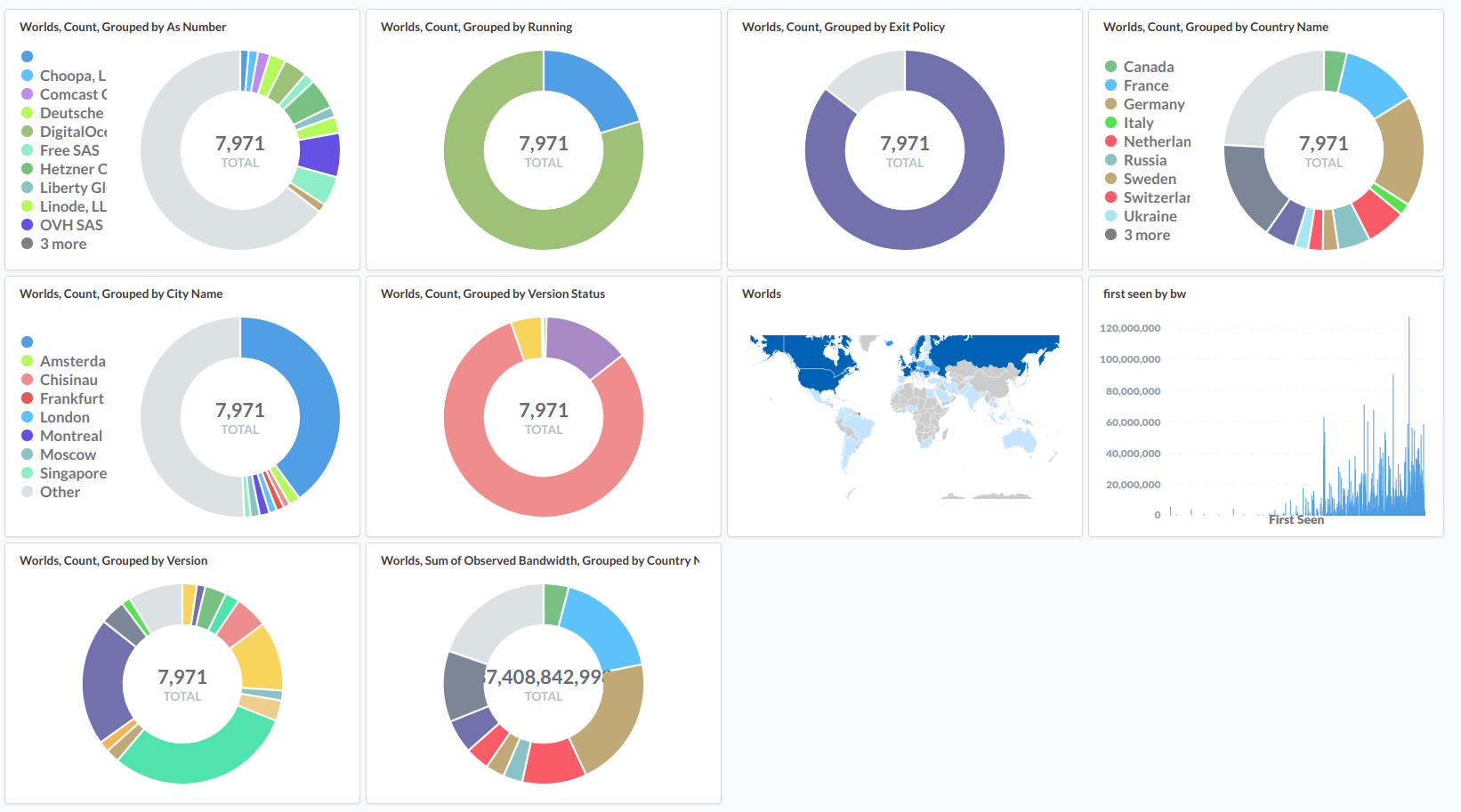
At some point in the past, I met someone called ggus. He was giving an interesting talk about Tor, with amazing visualizations, and was displaying/creating them while doing its talk! So I naturally asked him how this black magic was possible, and we was kind enough to hand me his scripts and recipes ♥
Everything boiled down to a couple of things:
- some
bash-fu to glue everything together; jqto process onionoo's dump;mongodbto store json data for the lazy people;- the marvellous
metabaseto manipulate and display the data.
Installing mongodb and jq is a simple matter of apt install mongodb-server
jq and for metabase, just get the latest
jar and launch it with java -jar
./metabase.jar.
An other possibility would be to use redash instead of metabase, but its setup looks more convoluted.
The script to shove the data into mongodb is pretty simple (and ugly):
#!/bin/bash
#
# torplanet - v0.1
#
#

# Create dir
mkdir -p world
cd world

wget -O world.json https://onionoo.torproject.org/details

echo "Formatting json"

for f in `cat world.json | jq -r 'keys[]'` ; do cat world.json | jq ".$f" > $f.json; done

# Import to mongodb
mongoimport --jsonArray --db relays --collection world --file relays.json

echo "Imported all relays in database relays, collection world. Bye!"

exit 0
After reading the short and clear metabase documentation and clicking on some buttons, this is what you coud get: